

Prerequisites
- An email address to sign in with (or a Google / GitHub account)
- Your website URL, so EmaDesk can extract details automatically
- A document, FAQ, or help page the agent can learn from
Get started
1
Create your account
Sign in with email, Google, or GitHub, then complete your profile and create your organization. The agent is created automatically.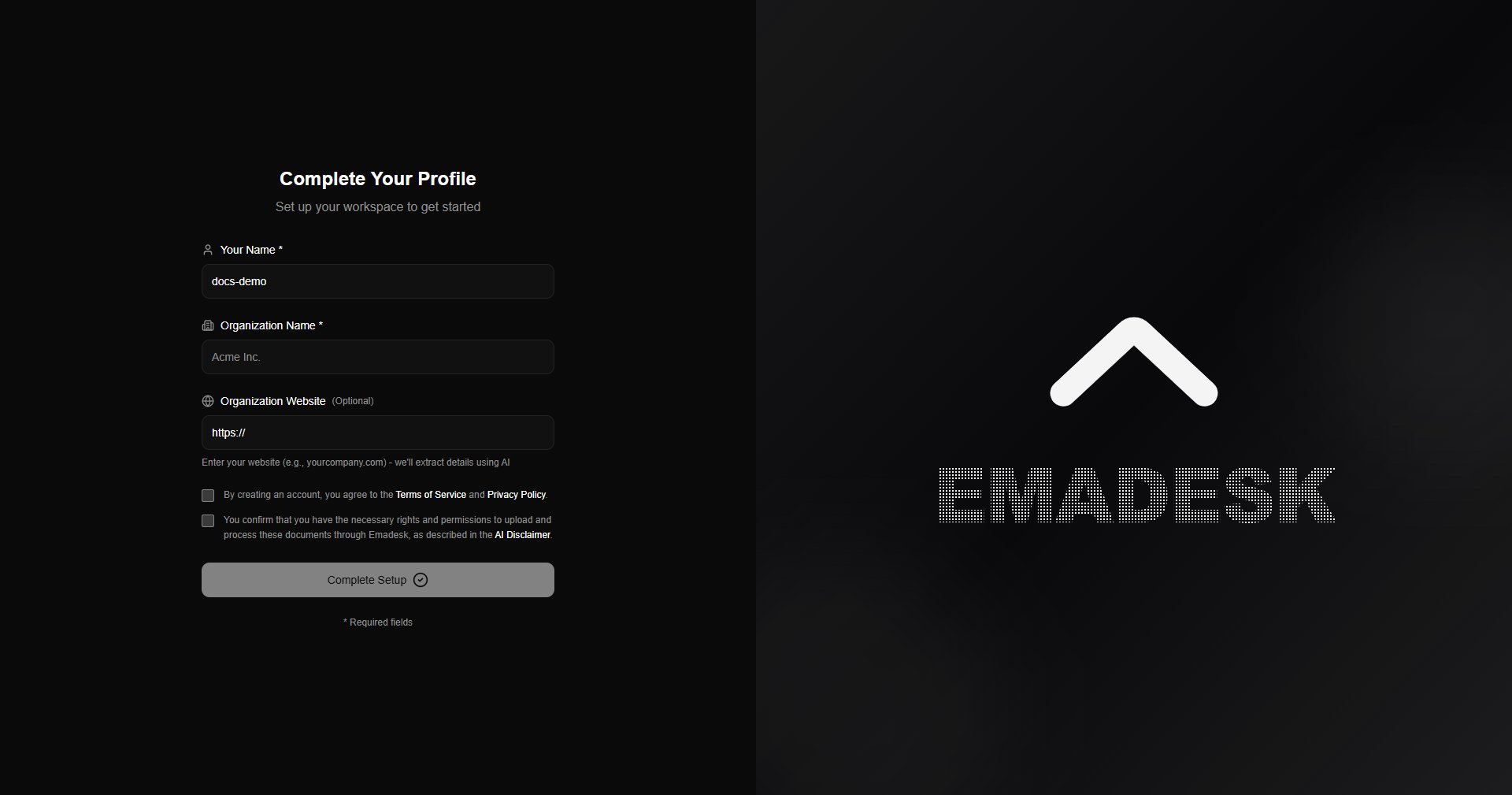
2
Add knowledge
Open Knowledge under Knowledge Sources and add a document, paste text, or crawl a web page. EmaDesk indexes it so the agent can answer from it.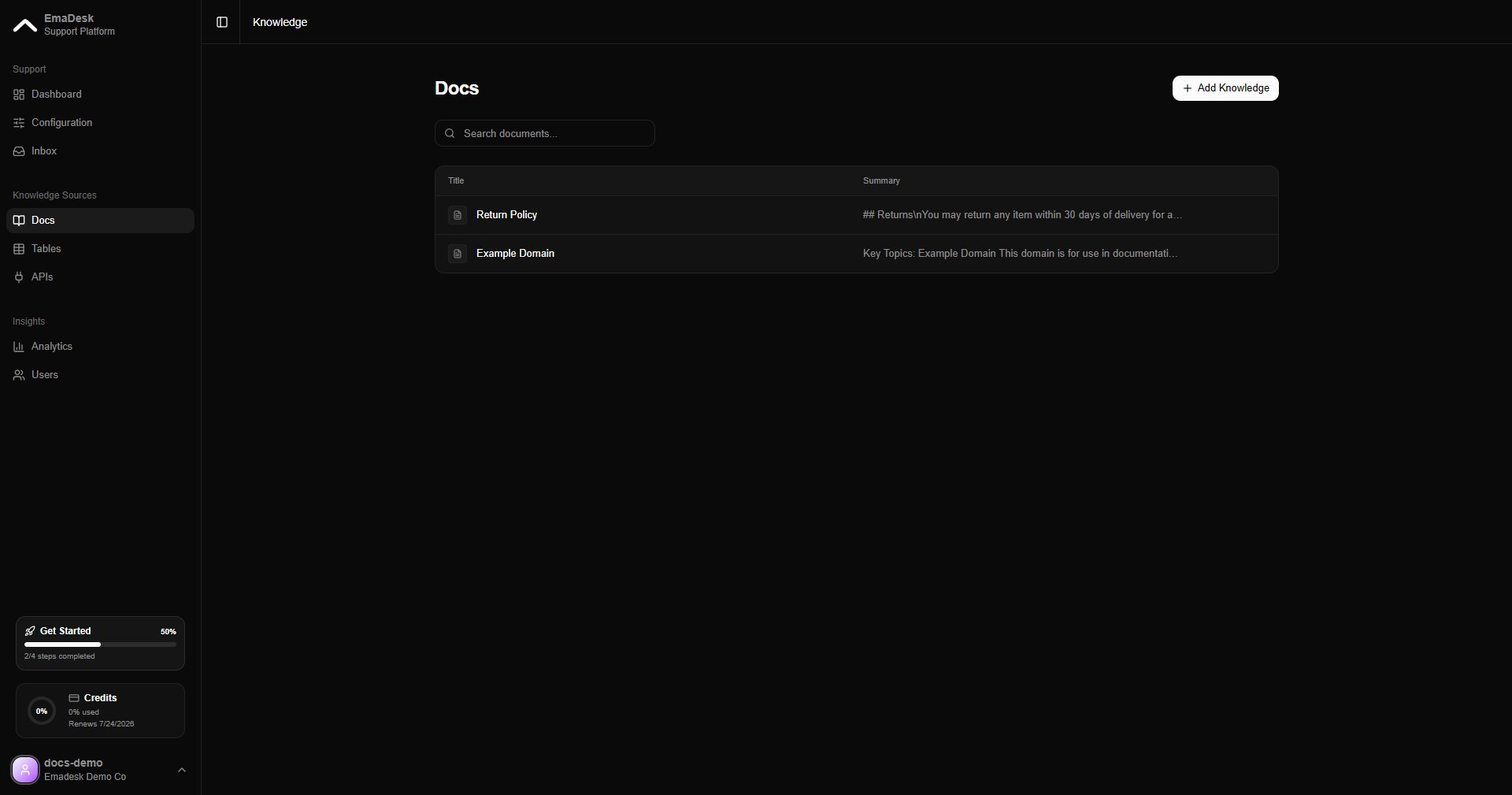
3
Test your agent
Go to Configuration and chat with your agent in the live preview. Adjust its instruction if you want a different tone or behavior.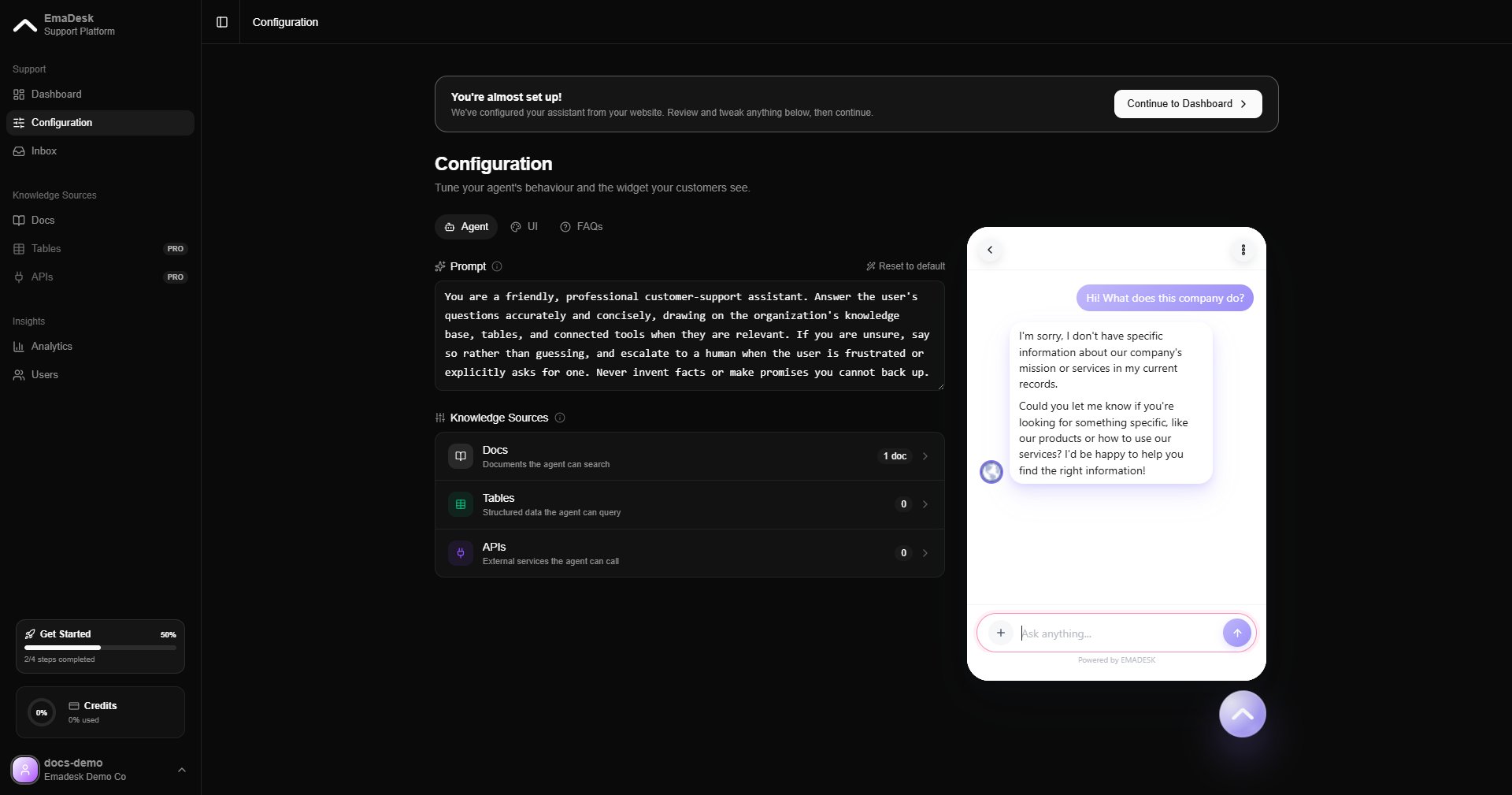
4
Add the widget to your site
On the Dashboard, copy the installation snippet and paste it before the closing 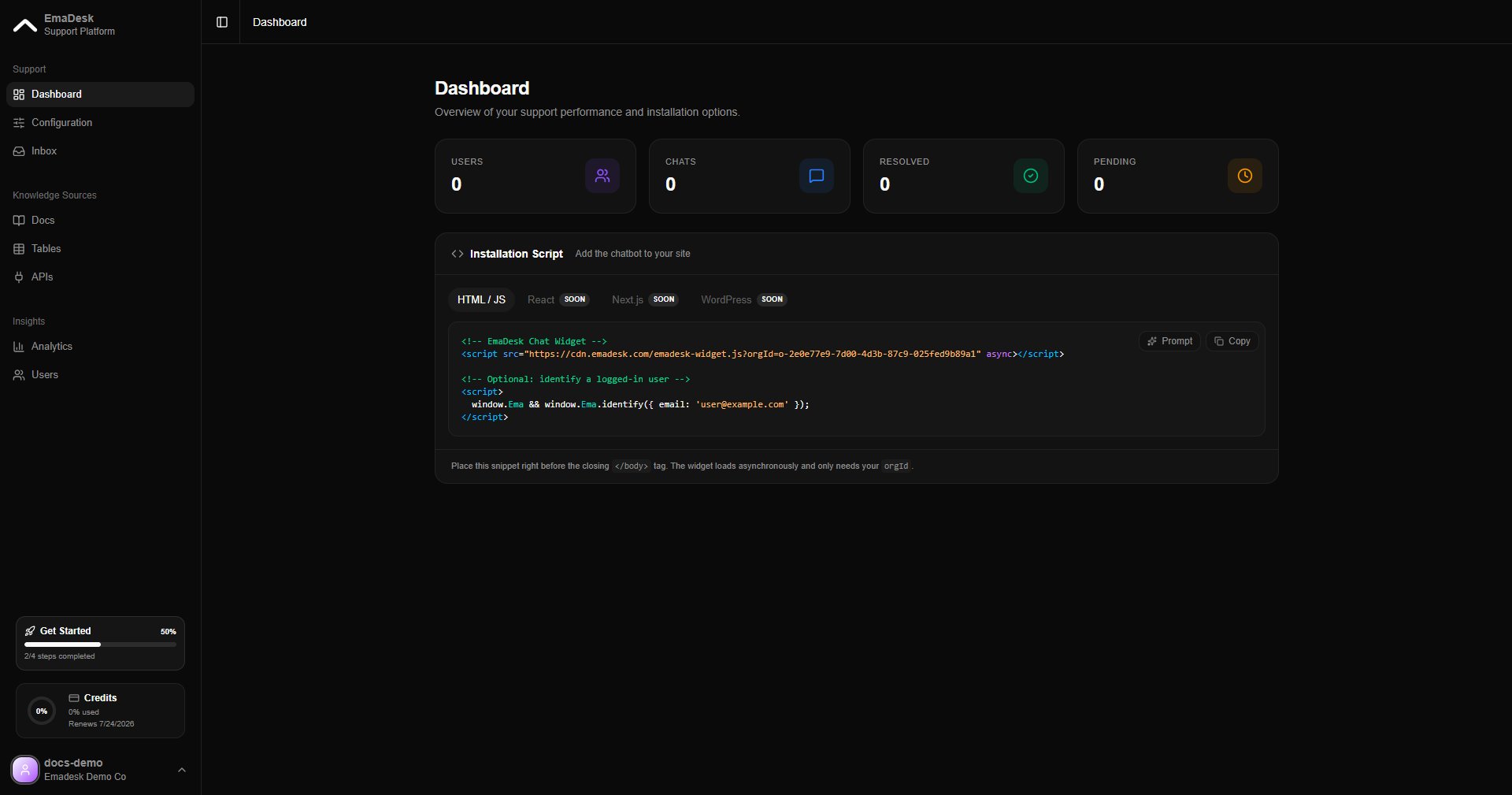
</body> tag of your website.