> ## Documentation Index
> Fetch the complete documentation index at: https://docs.emadesk.com/llms.txt
> Use this file to discover all available pages before exploring further.
# Team and users
> Invite teammates with roles, build a support team, and see the customers you help.
EmaDesk separates two groups of people: your **team** (colleagues who run support) and your **users** (the customers who chat with your agent).
## Your team
Manage teammates from the **Team** tab in [Settings](/settings). Each member has a role:
Created the organization. Full access, including billing. Cannot be removed.
Full view and edit access across the product, except billing.
Read-only everywhere except the inbox, where they have full access to handle chats.
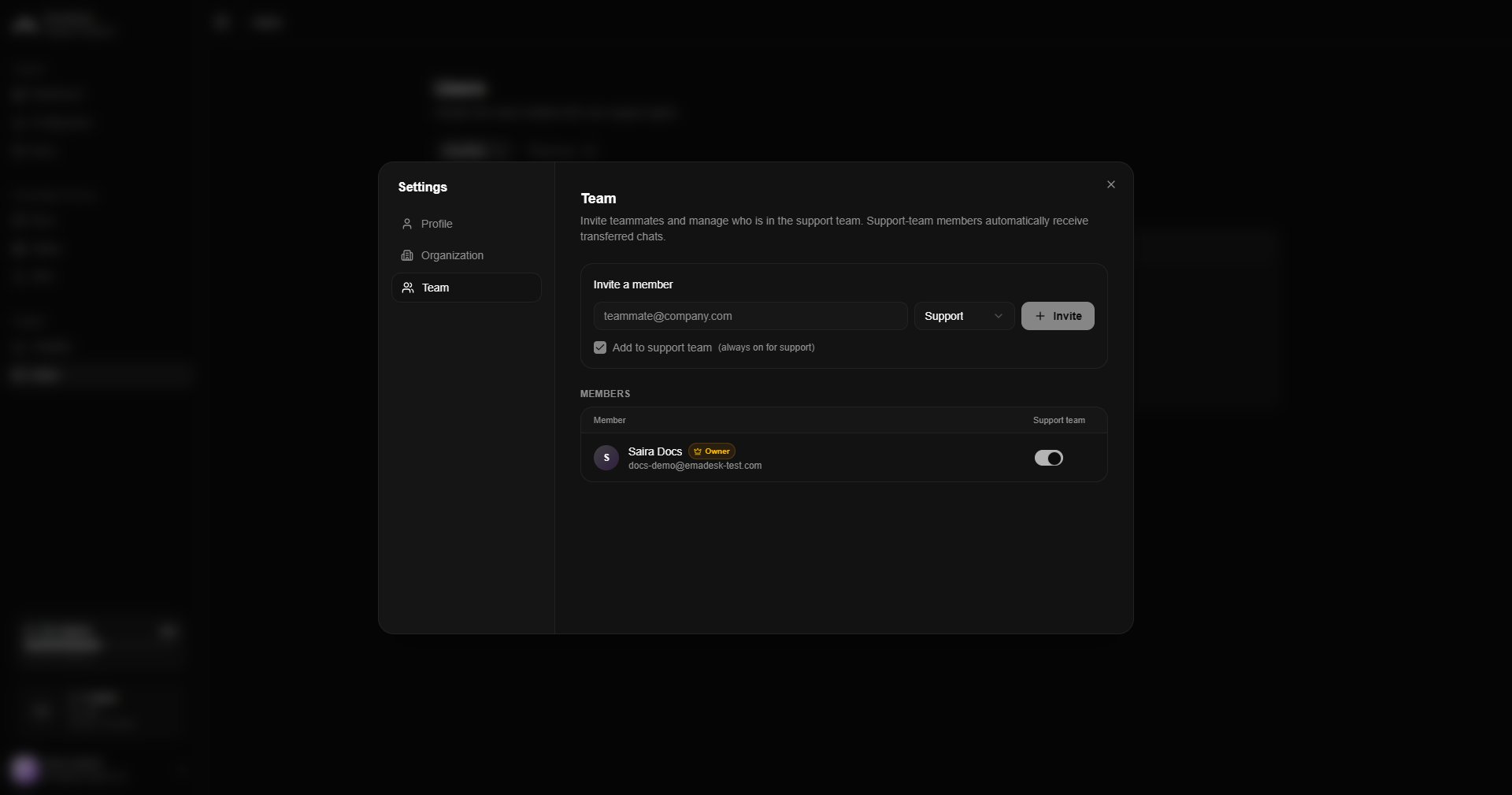 ### Invite a teammate
Enter an email and choose a role, then send the invitation. The invite shows as **pending** until accepted.
The teammate receives an email with a secure link. After they sign in, they are asked to **accept or decline** the invitation. If they accept, they join your organization. If they decline, they can create their own organization instead.
### Support team and handoffs
The **support team** is the set of members who automatically receive transferred (human-handoff) chats. When the agent escalates a conversation, it is assigned to the support-team member with the fewest open chats, so work is shared evenly.
* The **support** role is always in the support team.
* **Owners** and **admins** can toggle their own membership.
* At least one member must always be in the support team.
If no support team is configured, transferred chats go to the owner.
## Your users
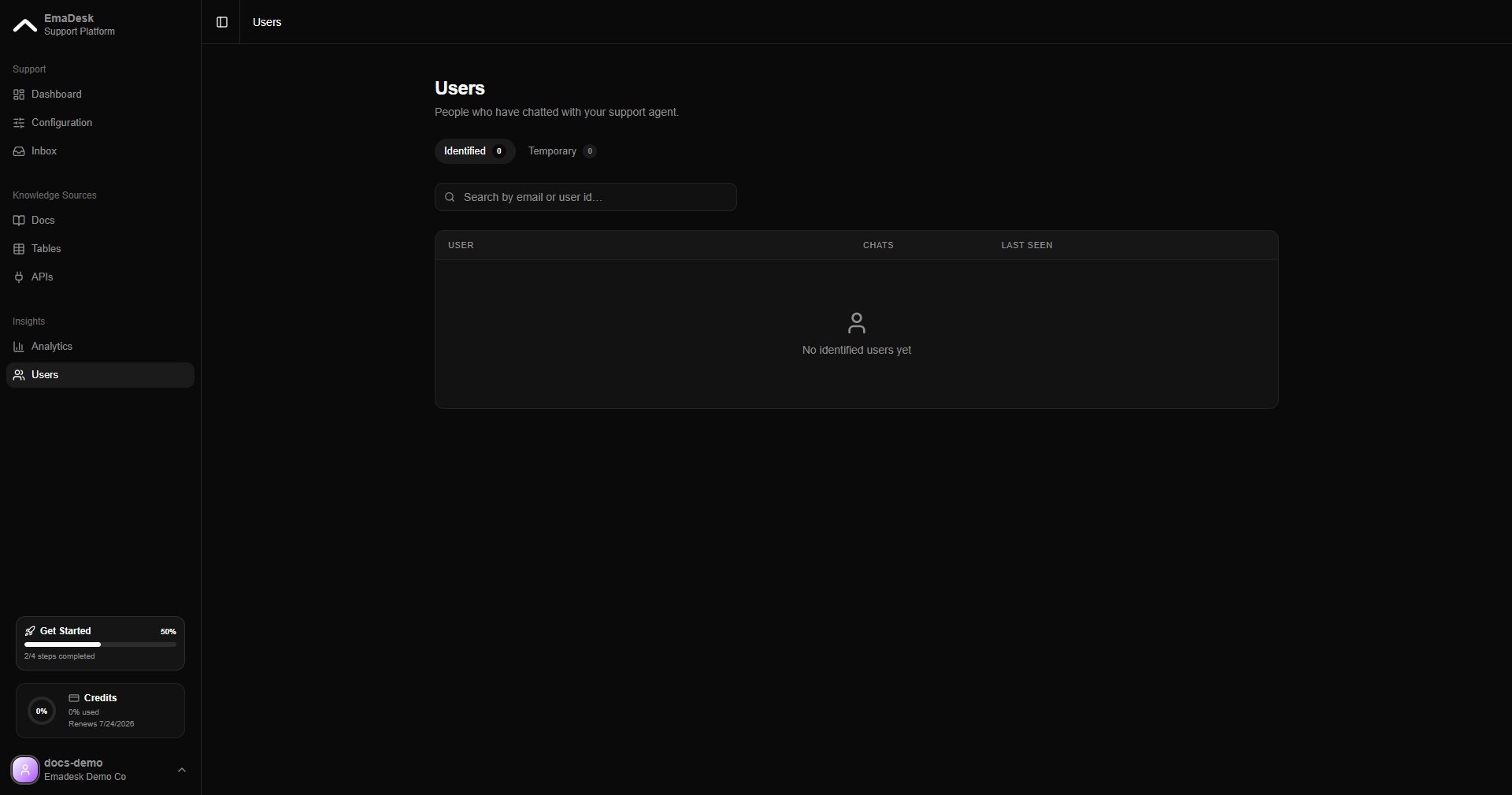
The **Users** page lists the people who have chatted with your agent, split into two tabs:
* **Identified** — visitors who shared an email or user ID. Their full history follows them across sessions and devices.
* **Temporary** — anonymous visitors who have not identified themselves yet. They become identified the moment they share an email or ID.
### Invite a teammate
Enter an email and choose a role, then send the invitation. The invite shows as **pending** until accepted.
The teammate receives an email with a secure link. After they sign in, they are asked to **accept or decline** the invitation. If they accept, they join your organization. If they decline, they can create their own organization instead.
### Support team and handoffs
The **support team** is the set of members who automatically receive transferred (human-handoff) chats. When the agent escalates a conversation, it is assigned to the support-team member with the fewest open chats, so work is shared evenly.
* The **support** role is always in the support team.
* **Owners** and **admins** can toggle their own membership.
* At least one member must always be in the support team.
If no support team is configured, transferred chats go to the owner.
## Your users
The **Users** page lists the people who have chatted with your agent, split into two tabs:
* **Identified** — visitors who shared an email or user ID. Their full history follows them across sessions and devices.
* **Temporary** — anonymous visitors who have not identified themselves yet. They become identified the moment they share an email or ID.
 Use the optional `Ema.identify({ email })` call in the widget snippet to identify logged-in users automatically. See the [Dashboard](/dashboard).