> ## Documentation Index
> Fetch the complete documentation index at: https://docs.emadesk.com/llms.txt
> Use this file to discover all available pages before exploring further.
# Dashboard
> Your home base: support activity at a glance and the snippet to go live.
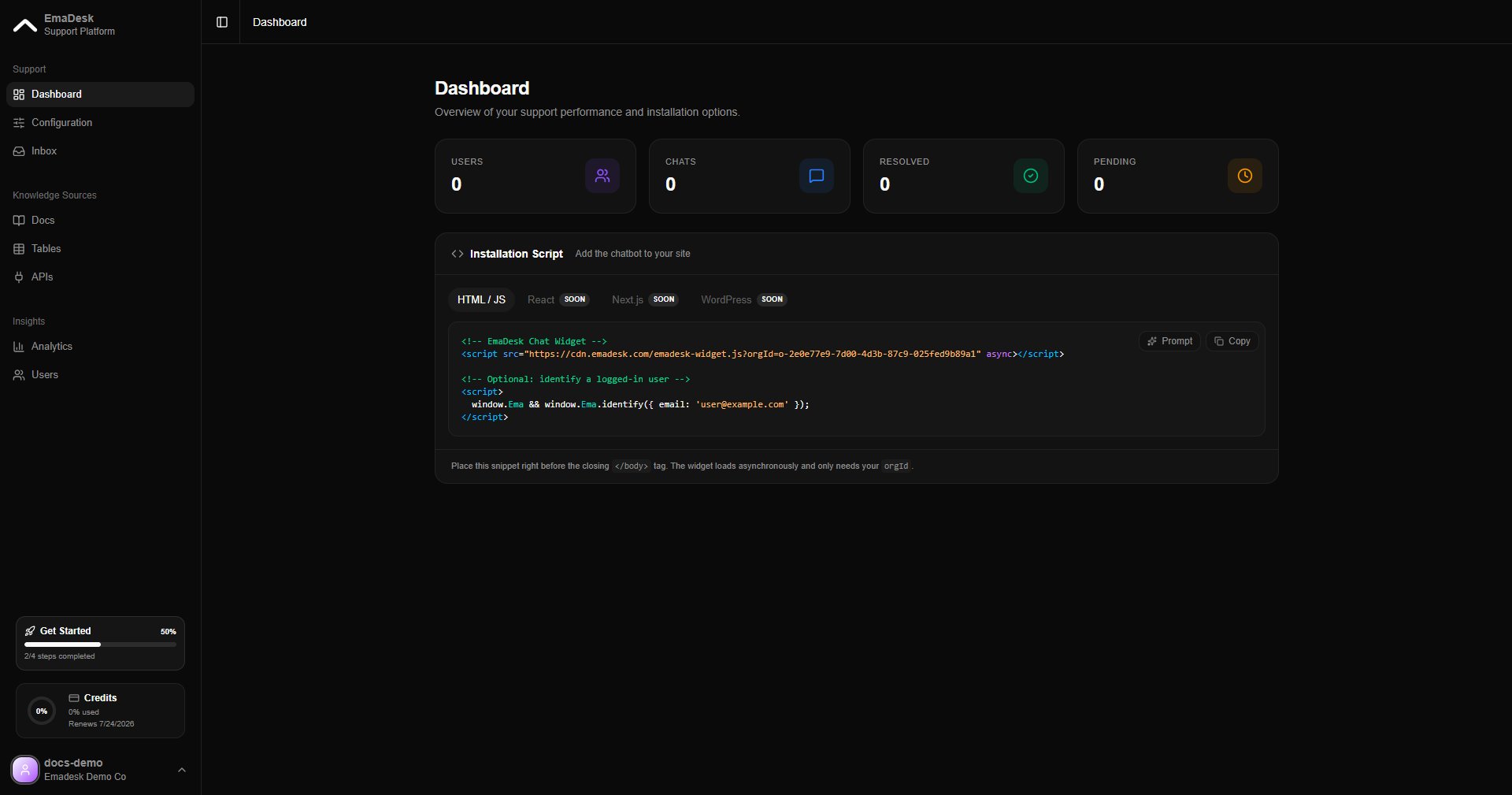
The dashboard is the first thing you see after signing in. It summarizes your support activity and gives you the snippet to add the chat widget to your site.
 ## Stat cards
The cards at the top show your headline numbers:
* **Users** — people who have chatted with your agent
* **Chats** — total conversations
* **Resolved** — conversations closed successfully
* **Pending** — conversations still waiting
## Installation script
Below the stats, copy the installation snippet and paste it before the closing `` tag of your website. The widget loads asynchronously and only needs your `orgId`.
```html theme={null}
## Stat cards
The cards at the top show your headline numbers:
* **Users** — people who have chatted with your agent
* **Chats** — total conversations
* **Resolved** — conversations closed successfully
* **Pending** — conversations still waiting
## Installation script
Below the stats, copy the installation snippet and paste it before the closing `` tag of your website. The widget loads asynchronously and only needs your `orgId`.
```html theme={null}